
Reviews · Gaming
Corsair Scimitar Elite Wireless SE
Abel Visser · October 10, 2025
Introduction:
Today we're reviewing the Corsair Scimitar Elite Wireless SE, released on May 19, 2025 and designed for dedicated MMO gamers with 16 programmable buttons. The Scimitar Elite model already existed, but back then it wasn't wireless. This review covers the wireless version of the Scimitar Elite family. I enjoy shooters myself and have never really been a fan of MMO games. This review opened up a whole new world for me, which I'll be exploring with the Scimitar mouse. Its 12 side buttons are perfect for this, making it a great fit for die-hard MMO players (and perhaps useful for shooters too, for quickly switching weapons, for example). They certainly made playing an MMO much easier. I chose RuneScape because I'd already heard so much about it. As I keep saying in almost all my reviews, here comes the boring but still very important part…. “the specifications”.

Specifications:
TIP: The twelve side buttons can be programmed with Elgato Stream deck
| Sensor Model | Marksman S 33K Sensor |
| Max Sensitivity | 33,000 DPI |
| Max Speed (IPS) | 750 IPS |
| Max Acceleration | 50 G |
| Polling Rates | 1,000 Hz / 500 Hz / 250 Hz / 125 Hz |
| Programmable Buttons | 16 |
| LED Zones | 2 |
| Cable | 6ft / 1.8m USB-C to USB-A |
| Connectivity | 2.4GHz wireless, Bluetooth, wired (USB-C) |
| Measurements (L x W x H) | 4.69 x 2.89 x 1.66 inches / 119.23 x 73.48 x 42.17 mm |
| Weight (excluding cable) | 4.02oz / 114g |
First impressions:
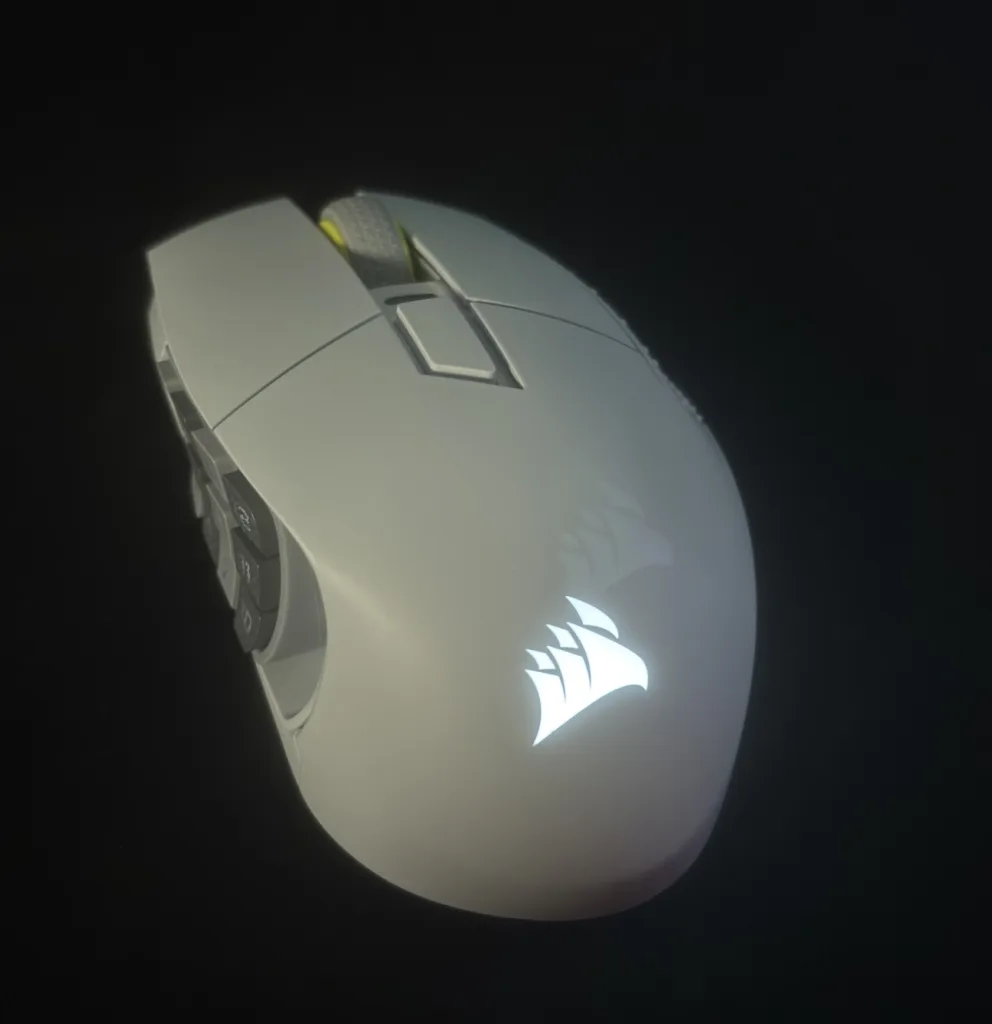
This mouse genuinely feels great in the hand! It weighs 114 grams, of course, but it doesn't feel that heavy to me. I'm used to mice weighing around 60 grams, and the Scimitar Elite Wireless SE is about twice that. One neat feature is that you can reposition the 12 side buttons. Simply loosen the screw on the underside using the included screwdriver, and you can move the 12-button panel. It's very easy and straightforward. The Corsair Scimitar Elite Wireless SE is very much a right-handed mouse. That's because the side buttons sit on the left, with a pinky rest on the right. The mouse has several DPI settings that you can switch between using the button just below the scroll wheel. I always appreciate this on a mouse, as it lets you quickly change DPI when needed. The Scimitar Elite Wireless SE also has a little RGB lighting, namely the Corsair logo at the back of the mouse.
In use:
When choosing a mouse, I prefer a wireless model because it gives me the freedom to move it wherever I want. With 150 hours of gaming with RGB turned off, there's really no reason not to go wireless. As I mentioned earlier, this mouse brought me into the world of MMOs. When I first used it, I thought: ’Aren't 12 side buttons a bit much?’ But no: they're actually a pleasure to play with. Programming the side buttons through ICUE, Corsair's software, is also very easy.
Here you can add macros and other “basic Assignments”. Elgato's software lets you get even more out of it: you can effectively use the 12 side buttons as a sort of stream deck. Think of it as a virtual stream deck :). Returning to ICUE, you can create multiple profiles there. A button on the underside of the Scimitar then lets you easily switch between them. Within a profile, you can adjust all the Corsair devices that ICUE detects. Think RGB, macros and other extras. It's a nice feature, although I don't really use it much myself.

Right, let's get gaming. So far I've only discussed features, but how does the Scimitar actually perform? Well…. It does A LOT, and it does it WELL. I started with a shooter, keeping in mind that this mouse is designed for MMOs. It plays perfectly well, though having 12 side buttons rather than two takes some getting used to! But when I started playing RuneScape, it went from a mouse with 12 side buttons I had no use for to the PERFECT MMO mouse. Mapping those 12 side buttons to in-game keybinds was incredibly easy. That let me control the game through my mouse buttons, and quickly too. I think that if I hadn't started out with the Scimitar, I wouldn't have enjoyed playing an MMO as much. That might sound a little vague, but it really is fun! What I particularly love about the side buttons is that you can customize them to your liking, and physically reposition them too. You can slide them left and right.

The Scimitar wasn't just enjoyable for gaming; it was useful for school assignments too. Among the profiles you can create in ICUE, I have one for MMOs, one for shooters and one for general computer use. For example, if I've just finished playing RuneScape and want to work on a school assignment, it's useful to have different tasks assigned to my side buttons. A single click of the button underneath the Scimitar takes care of that. It switches profiles in ICUE, letting me get on with my schoolwork. My everyday computer profile includes actions such as opening files, creating a new tab or opening a website. It all happens in an instant.

Conclusion:
All in all, this is a spectacular mouse. It surprises you during the first few weeks, then keeps reminding you how well suited it is to MMOs and to making everyday tasks easier and faster. At 140 euros, it's on the pricier side, but it's also one of the best in its category. It's a mouse you can keep enjoying, with everything customizable to your preferences, adjustable side-button positioning, 16 programmable buttons and support for multiple profiles. So if you're an MMO player looking for a mouse you'll want to keep forever :)…. you've just read about the perfect one.
Verdict
Recommended – a strong pick in its class.
Pros
- Excellent for MMOs
- Long battery life (wireless mouse)
- Virtual stream deck
Cons
- Somewhat pricey